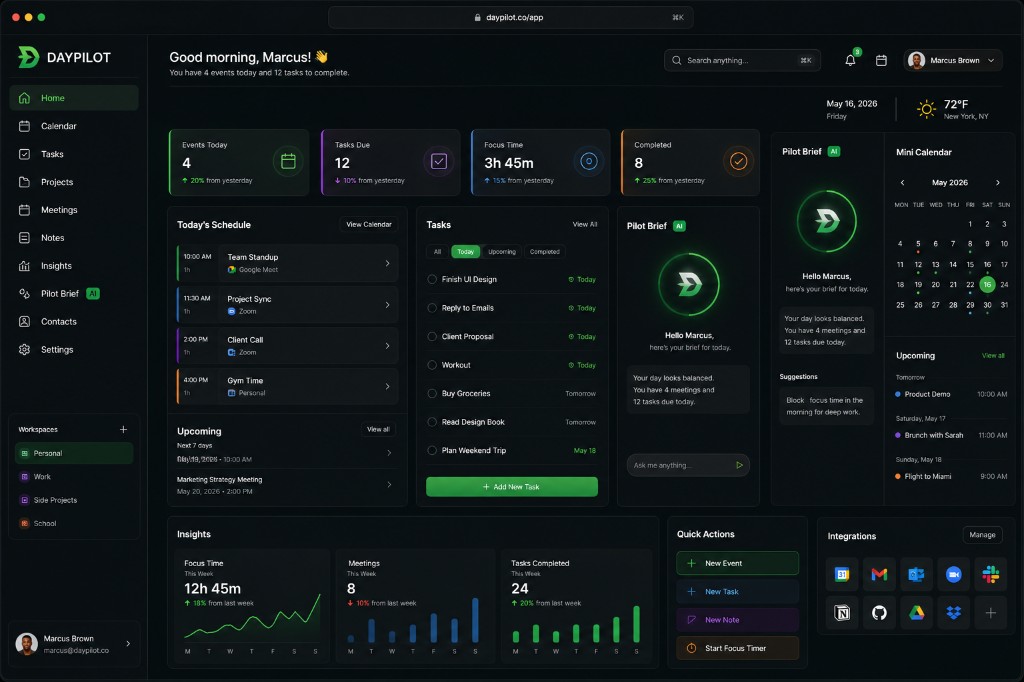
Pilot your day with AI.
DayPilot is an AI-powered scheduling assistant that helps you manage your calendar across platforms. Connect your calendars, let AI plan your day, and pilot your schedule with confidence.
Visit daypilot.co to learn more.
# Install dependencies
pnpm install
# Set up environment variables
cp ENV_SETUP.md apps/web/.env
# Edit apps/web/.env with your Supabase credentials
# Start development server
pnpm dev
# Build all packages
pnpm build
# Run linter
pnpm lint
See ENV_SETUP.md for required environment variables.
See DEPLOYMENT.md for detailed deployment instructions.
# Install Vercel CLI
npm install -g vercel
# Deploy
vercel --prod
# Install Netlify CLI
npm install -g netlify-cli
# Deploy
netlify deploy --prod
DayPilot/
├── apps/
│ └── web/ # Marketing site + web app
├── packages/
│ ├── ui/ # Shared UI components
│ ├── lib/ # Shared utilities and helpers
│ └── types/ # Shared TypeScript types
└── supabase/ # Database migrations
See LICENSE file for details.